Emulation
basics
First things first!
Finding roms,backups and bios files is not something i **should** be handing out here so i wont. :D
so what i can do is point you in the right direction and provide somewhat dumbass proof guides to some of my favorite Emulation software.
PSX
DuckStation
This is very reliable and accurate Emulator.
It supports Texture Replacements has upscaleing and filtering options even has RetroAchievments and Discord Richpresence support
all while haveing a low bar for entry on the hardware side of things.
SETUP
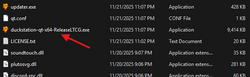
Once you have the emulator downloaded un zip it and (
7zip or winrar for this )click the file and go through the install wizard.
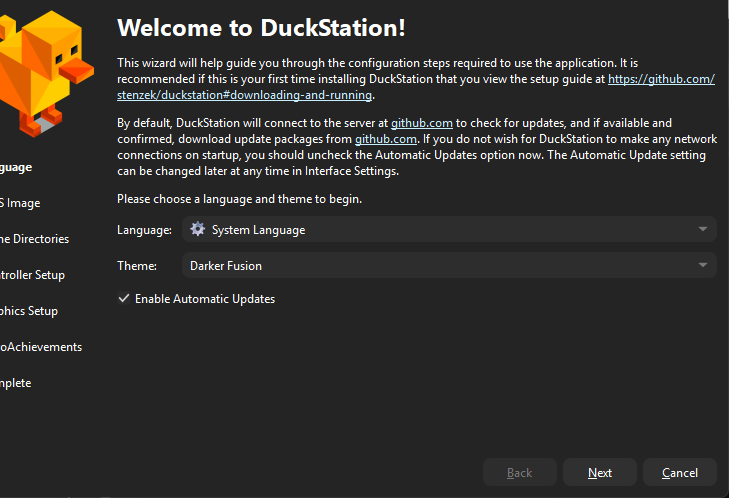
Next choose your language and theme.
Then set your bios directories where you will place your own ethicly sourced bios files.
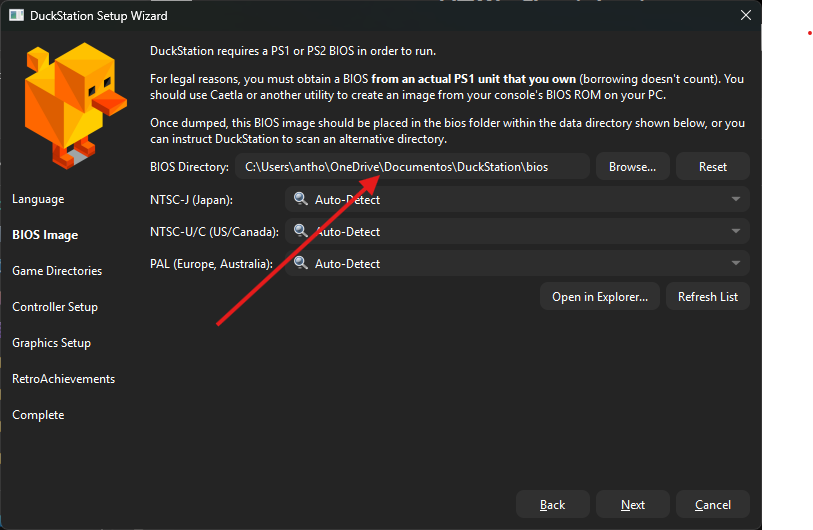 YOUR FILE PATH WILL BE DIFFRENT THEN THE ONE DISPLAYED!!!
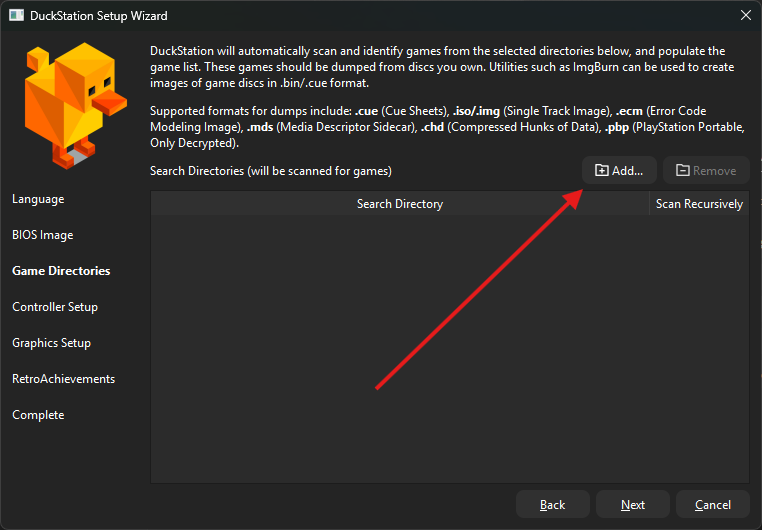
Now click add to set the folder where your ROMS will be kept.
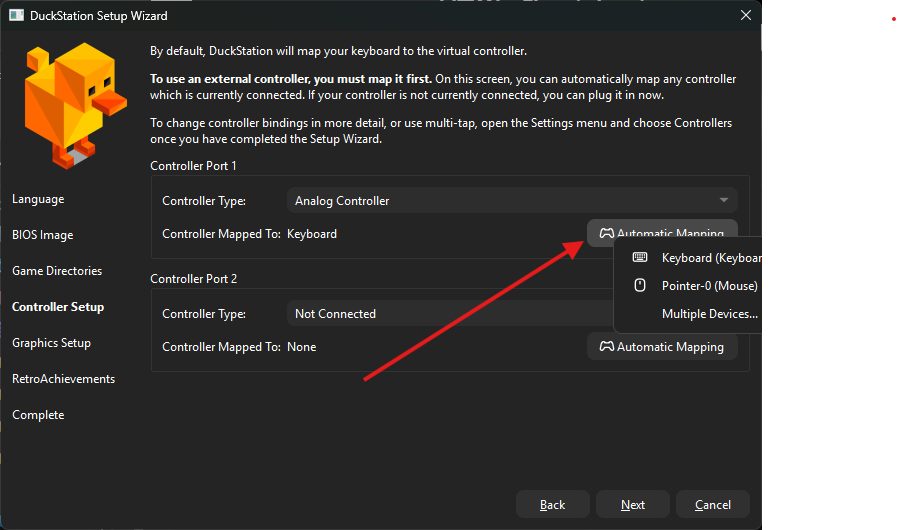
Here you can setup your controller just choose your input when clicking automap and let it do its thing or mess around with it as you need.
Almost done!
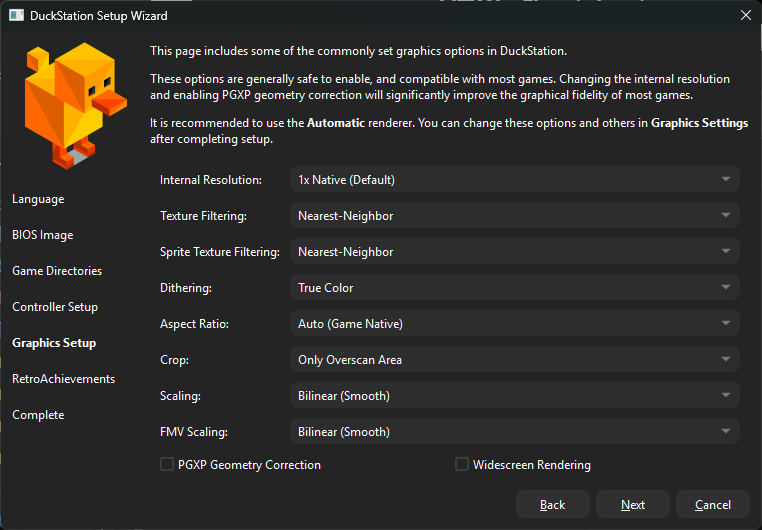
Here you can and should mess with the video setting or leave them on default if you are on lower end hardware or putting this on a work laptop.
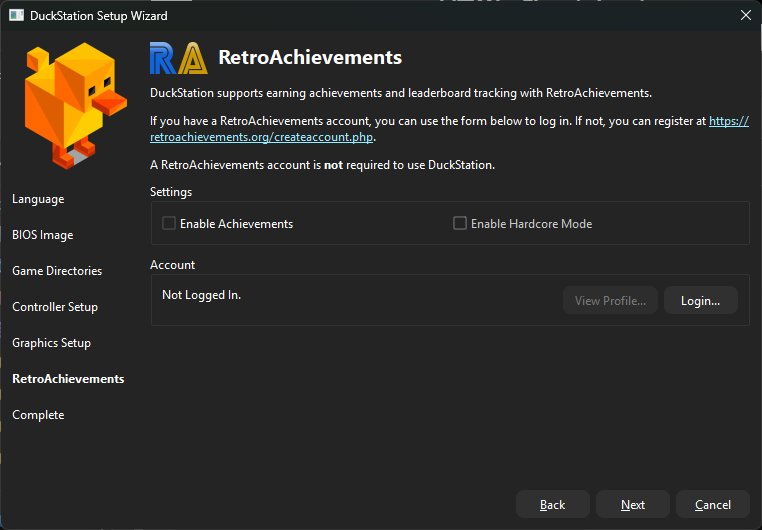
Last step, for all of you achievment hunters out there here is where you can login to retroachievemnts so your nerd stats will track.
3
4
5